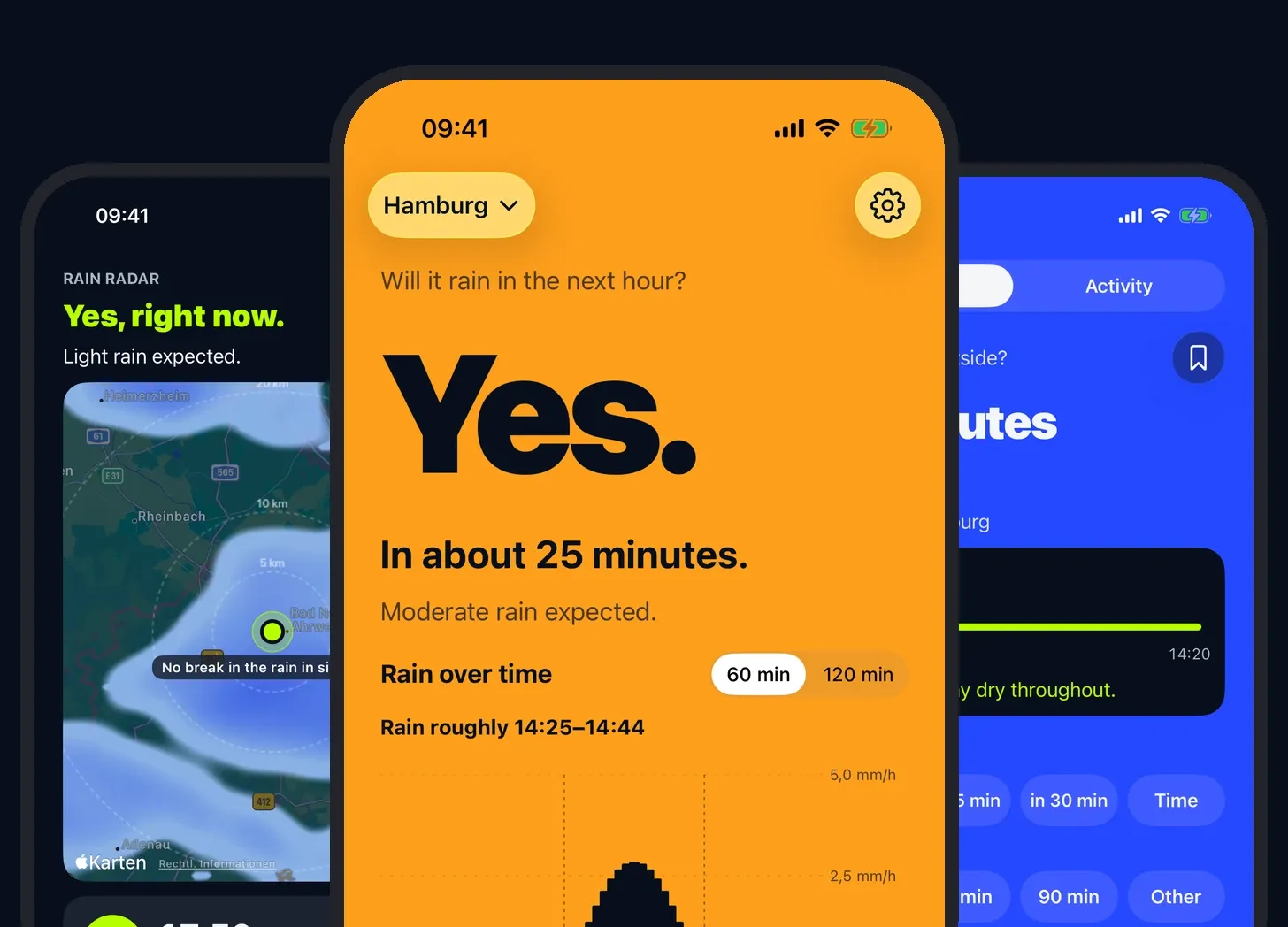
It rains a lot in Hamburg. For years I’ve opened the same app several times a day to answer one question: will it rain in the next hour? That app is Drops. Functionally it works well. It also looks dated, is full of ads, and the interface gets in the way of the one thing I want from it.
Some time this summer I asked myself what it would take to build it again, the way I’d want it. A year or two ago, the answer would have involved a team: a UX designer, a UI designer and a developer. This time I started building myself. The first beta went out to testers on 7 October, and on 19 October Plitsch went live in the App Store.
There was a second reason, and it mattered more. I wanted to find out how far I can take software on my own. Over the past years I’ve built quite a few things for clients, and I can’t show any of them. Plitsch is something I can show.
This piece is about how Plitsch came together, what I learned along the way, and the part that AI doesn’t solve for you.
It started with the look
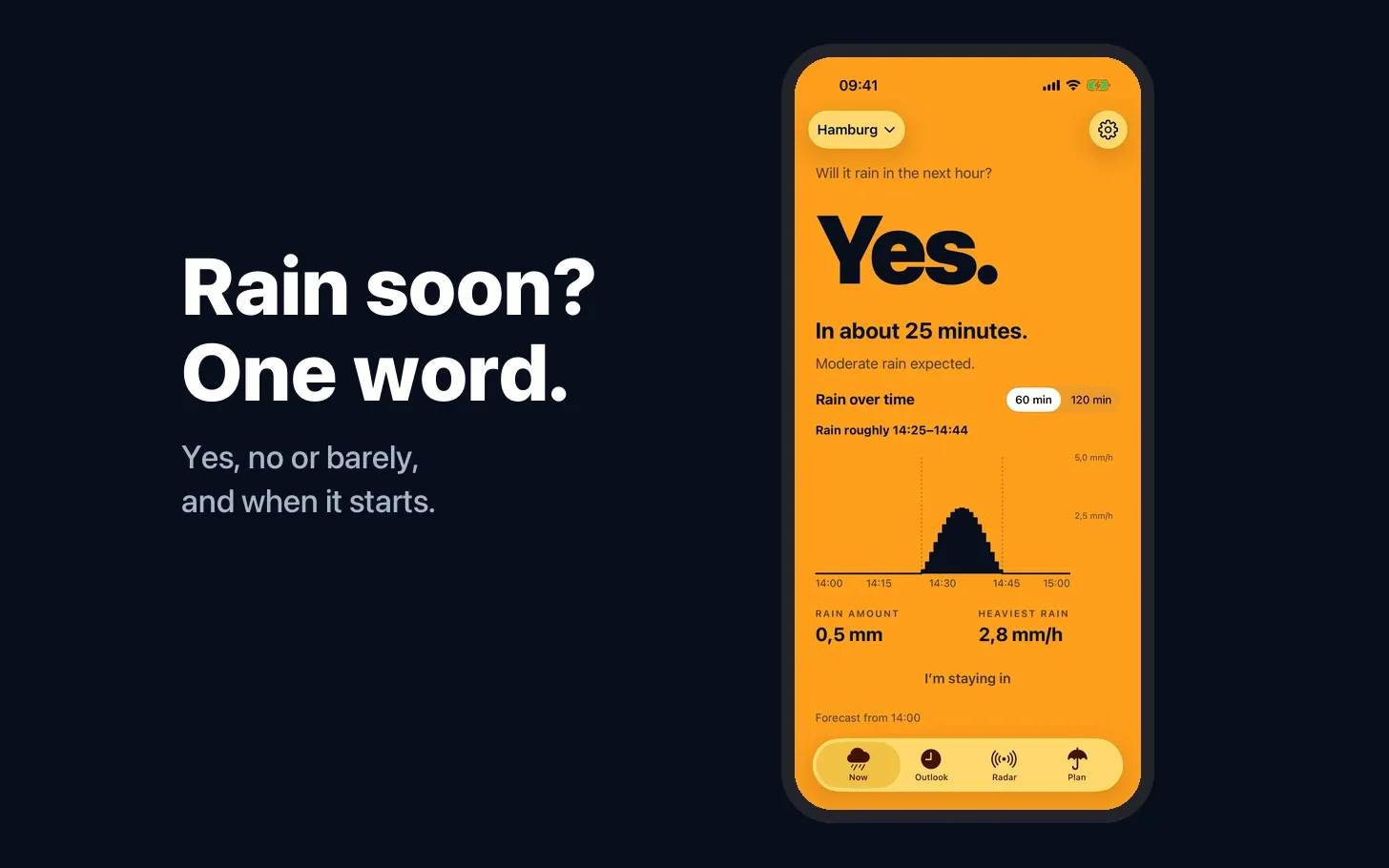
The first thing I had was a picture in my head of how Plitsch should look: clear, simple, bold, with loud colours. Before any question about data or code, I knew the answer should be readable at a glance, in one word and in a colour you can’t miss.
One question, answered well
The brief I wrote for myself was short. Plitsch tells you whether it will rain in the next hour, how much, and when exactly. Everything else is secondary.
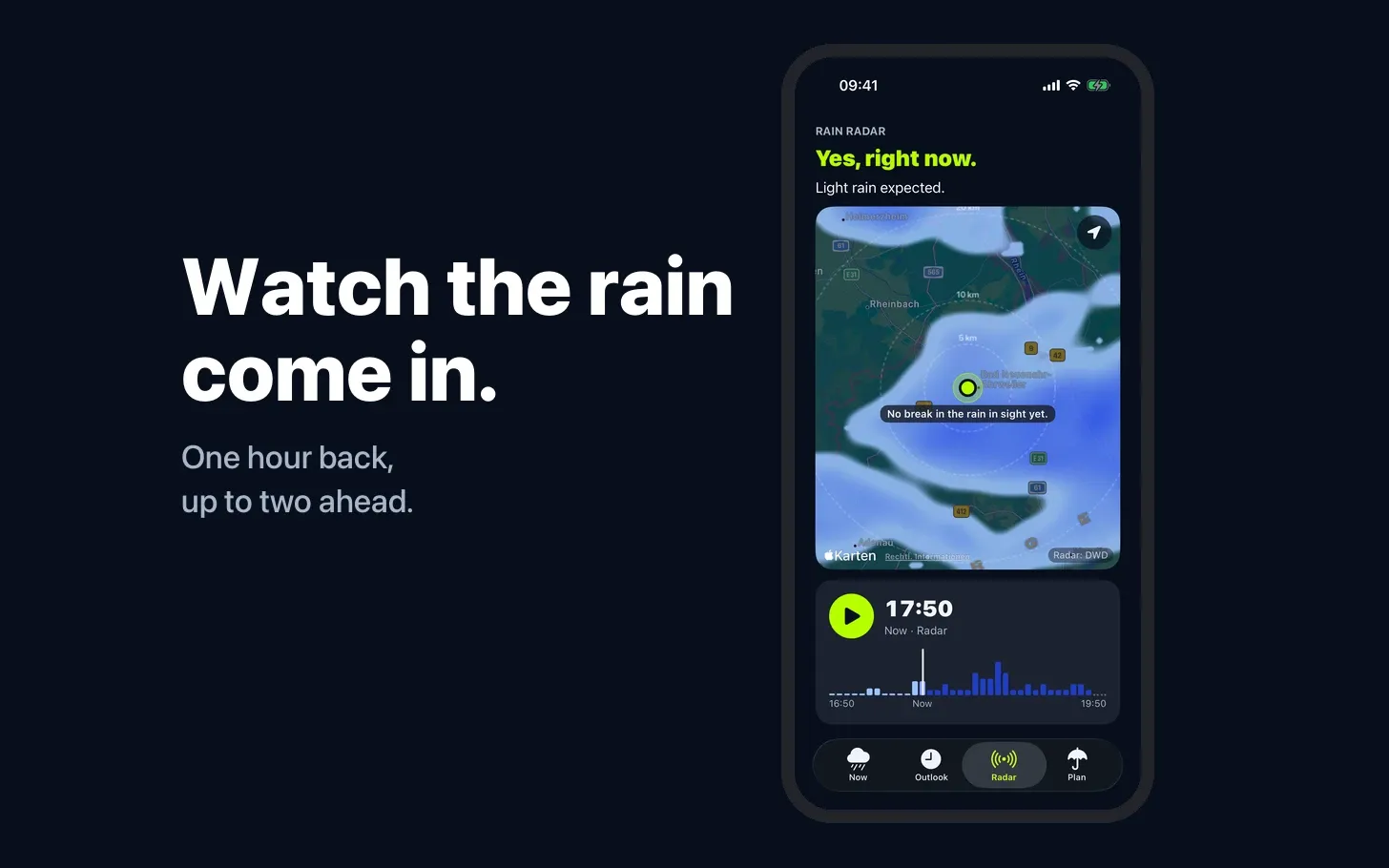
That focus did a lot of work. Weather apps tend to grow sideways: ten-day forecasts, pollen, UV index, news. Each feature makes sense on its own, and together they bury the answer you came for. Plitsch has grown too, with a rain radar, the week ahead and saved places. The answer still sits at the top in a single word, and every design decision gets checked against that.
Then the data question
Before writing any code, I looked at the economics. A rain nowcast app is expensive to run if you build it the obvious way. People open it several times a day, widgets refresh in the background, and most commercial weather APIs charge per call. At a few hundred calls per user per month, a small one-time price is used up within the first year.
For Germany, the answer was on my doorstep. Deutscher Wetterdienst, the national weather service, publishes its radar data openly. It updates every five minutes, it’s precise, and the licence allows free use. Plitsch was built on it and still uses it in Germany.
Testers soon asked for other countries. Outside Germany, Plitsch gets its data from Foreca, a commercial provider. The app talks to a small server of my own, which keeps the key off the phone and counts every call. That opened up Europe wherever there is rain radar and the US outside Alaska and Hawaii.
There’s also the honest competitor question. Since Apple bought Dark Sky, next-hour rain has moved into Apple’s own Weather app in a growing number of countries. Plitsch has to earn its place with clarity and speed, and with a view built entirely around that one hour.
How it actually got built
I’ve been here before, in a way. In 2007 I started an iPhone case brand on the side, and after the iPad keynote in 2010 I founded a mobile agency, because it was obvious where things were going. Back then, building an app meant hiring developers. This time I did it myself, with Claude as the engineering team.
My role was closer to product owner and designer. I wrote the concept, defined what the app should do and what it should leave alone, made the design calls and decided what shipped. Claude Code wrote most of the Swift.
A few things made this work better than I expected:
- Written project rules. I set up standing instructions for every session: one change per pull request, no new features without my okay, nothing that collects user data without asking, and when something is missing, stop and say so instead of guessing.
- Testable logic outside the app. Parsing the radar data, interpolating between frames and working out when the rain arrives all live in separate Swift packages. That logic can be tested without Xcode, so a lot of the work ran in the cloud while I was doing other things. Anything that needed the simulator or a look at the UI ran on my Mac.
- Short loops. Build it, look at it on the phone, adjust. The distance between “this should feel different” and seeing the result shrank to minutes.
It’s the discipline you’d want with a human team, written down once and applied every time.
A few moments stuck with me. A tester in Hittfeld, just south of Hamburg, wrote that the app told him it was drizzling while he stood in the sun. The radar had picked up a few drops he couldn’t feel. Since then, when only a few drops are expected, Plitsch answers “Kaum.”, German for “barely”.
Another: version 1.0 reached the App Store with a bug on the subscription screen. Testers reported it within hours, and Apple approved 1.0.1 the next day. Version 1.1, with the rain radar, shipped seventeen days after the first beta.
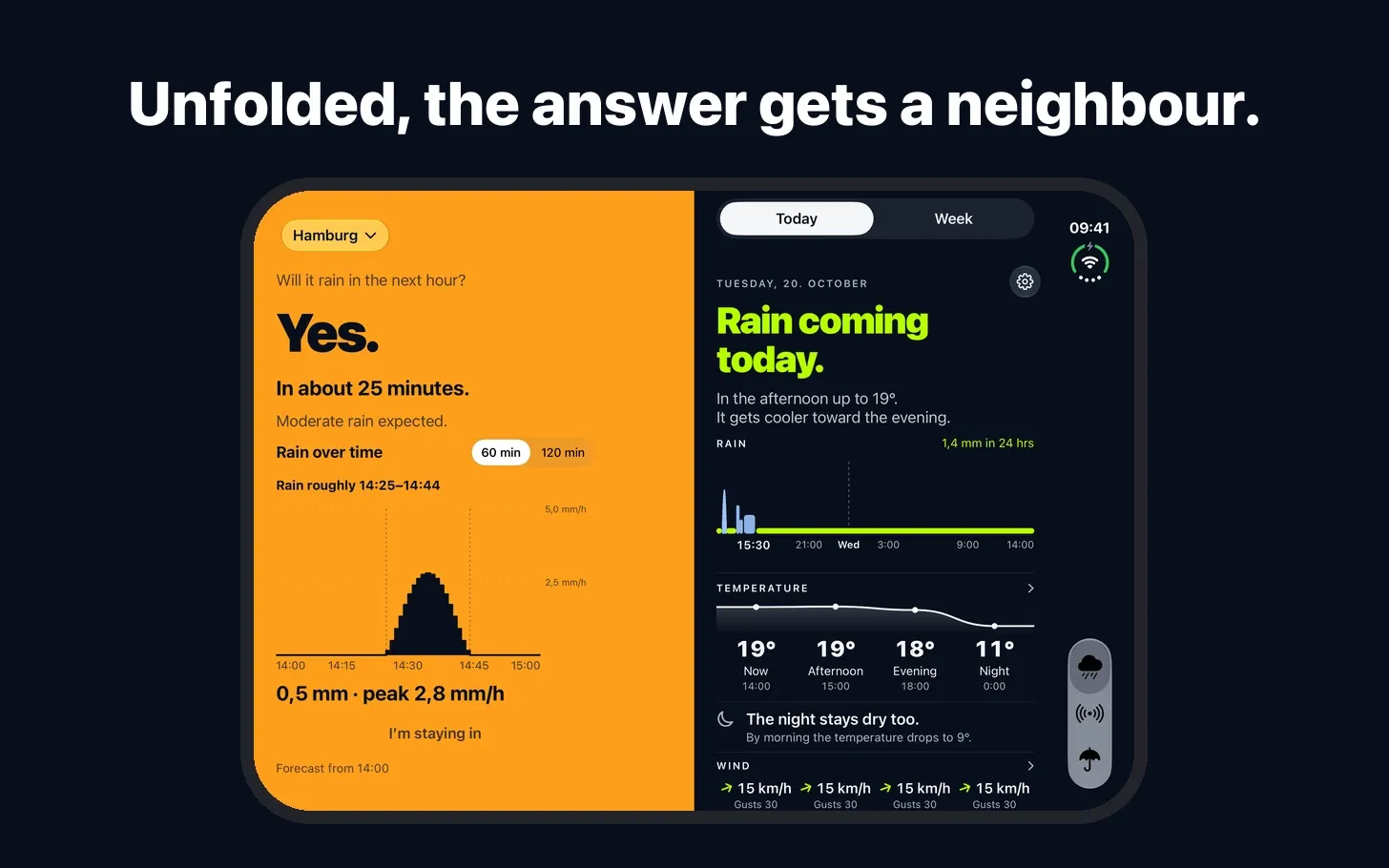
And then the iPhone Duo, which arrived in stores on 23 October. Plitsch supported it before I had ever held one. I designed the layout entirely in Apple’s simulator. Folded, the app looks the way it always has. Open it up and the answer gets a neighbour: the radar or the next 24 hours. A few years ago, getting an app ready for a new device on launch day would have been a project for a team. Plitsch took a few evenings.
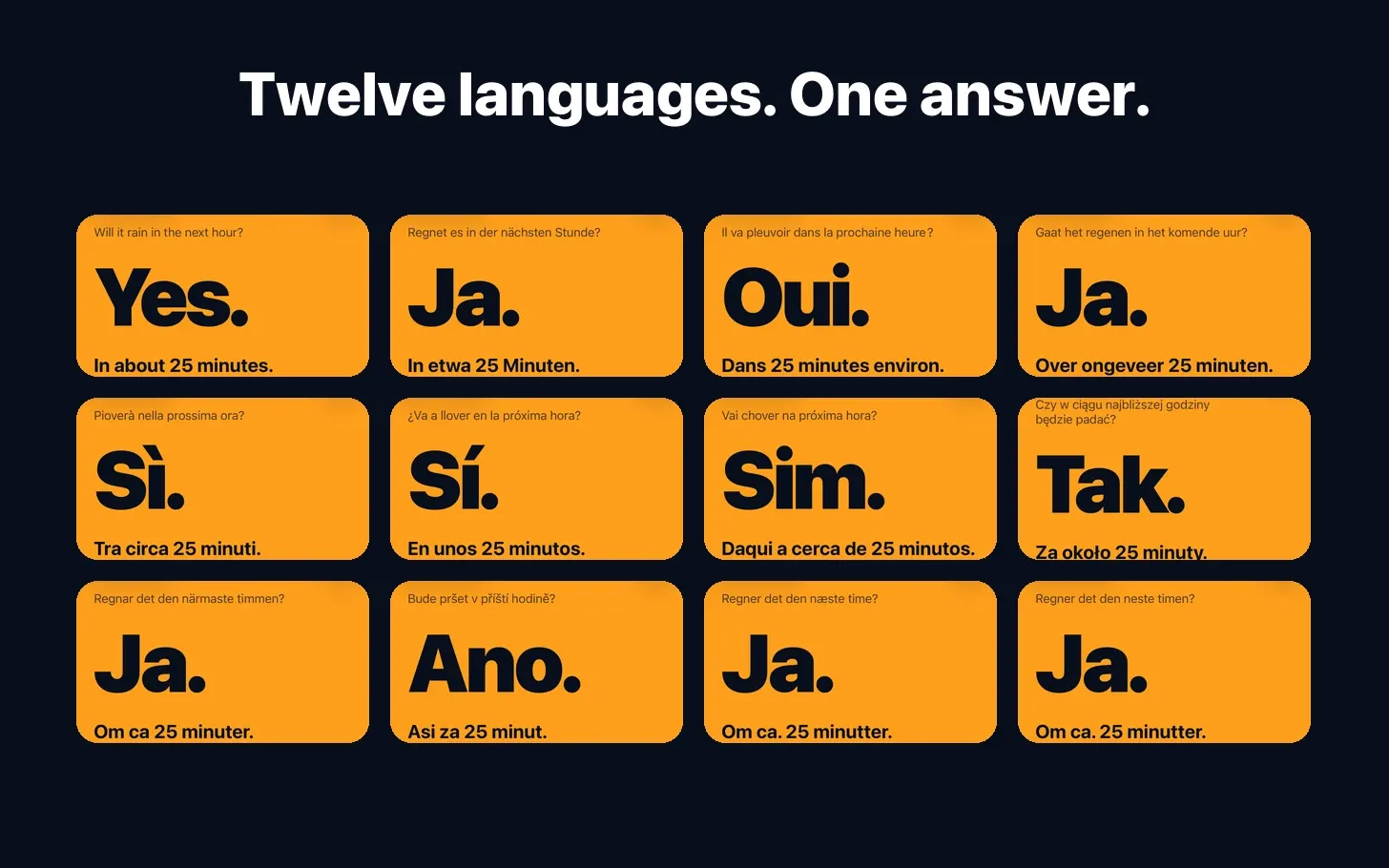
Plitsch speaks twelve languages: German, English, French, Dutch, Italian, Spanish, Portuguese, Polish, Swedish, Czech, Danish and Norwegian. Many small apps only ever ship in English. For a weather app that felt wrong: rain is local, and so is the language people think in when they look out of the window. With AI doing the first draft and testers and native speakers checking it, a new language now costs days rather than a budget. Even the App Store page exists in fourteen versions.
From a one-off price to a subscription
My original plan was around €0.99, once, with no subscription and no ads. That plan didn’t survive the move beyond Germany. Foreca charges per call, so my costs grow with every user who opens the app.
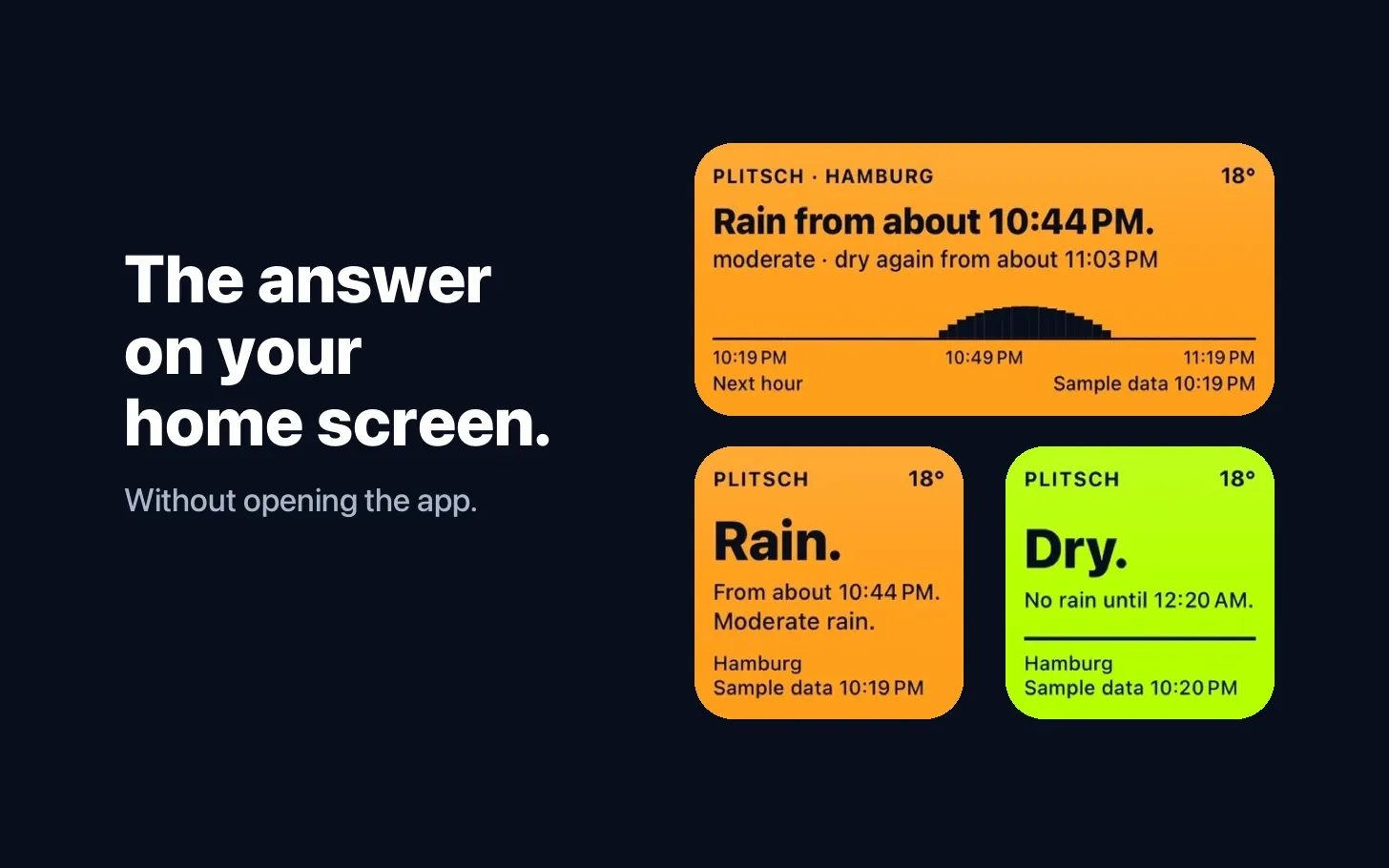
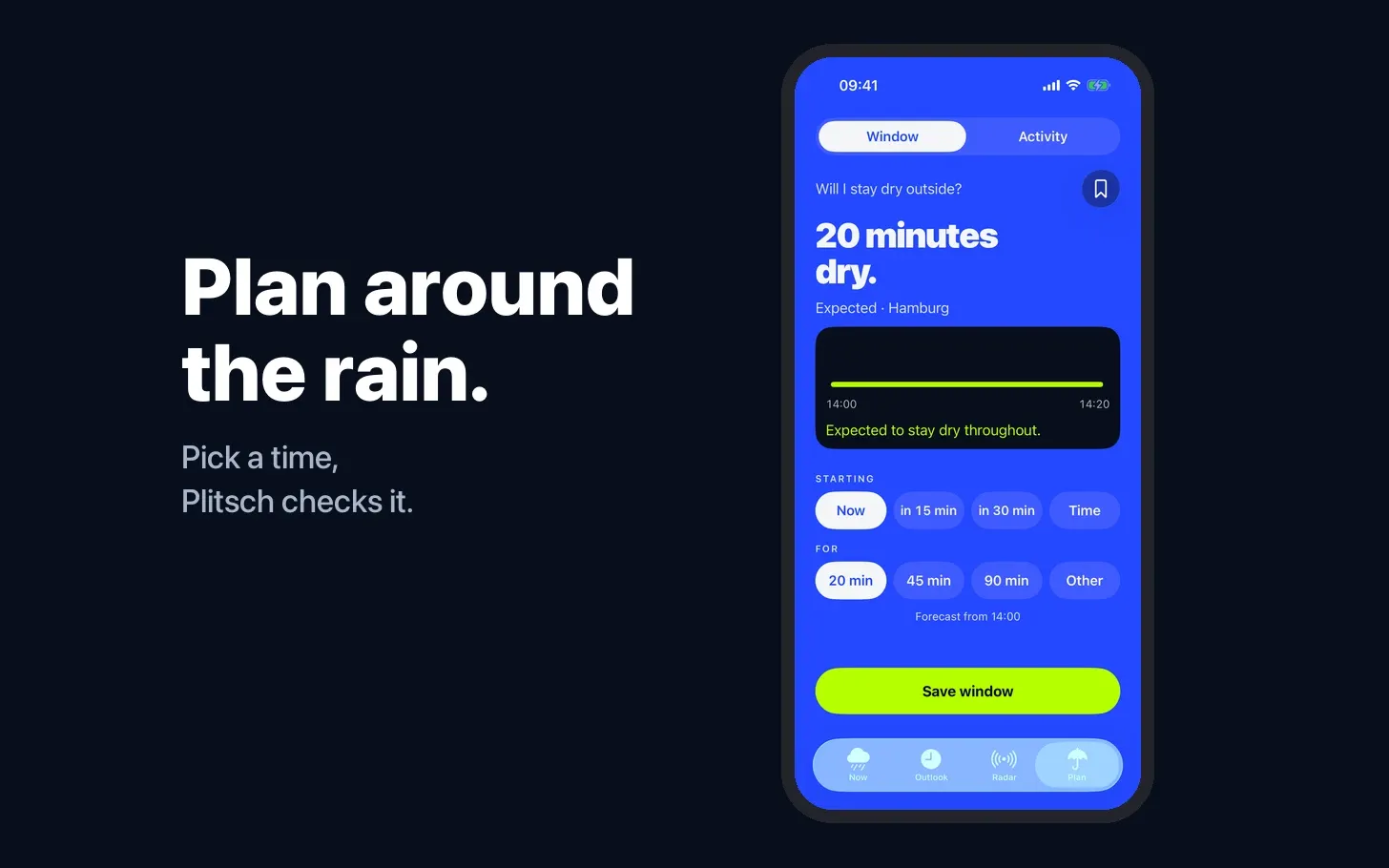
Plitsch is now free to download, and the core stays free: the answer for the next hour, saved places and the home screen widgets. A monthly or yearly subscription adds the rain radar, the outlook for the week, planning and the lock screen widgets. Still no ads and no tracking.
I’m also clear about what this is. Plitsch is a side project and a test, built to learn. I’d be happy if it paid for itself, and I don’t need it to.
The part AI doesn’t build
Here’s what I keep coming back to. Concept, design and code used to be the bottleneck for an idea like this. For the most part they aren’t anymore. One person can take an idea from a note on the phone to a working app in a fraction of the time it used to take.
The bottleneck has moved to distribution. Getting an app in front of people, getting them to install it and getting them to open it again next week is as hard as it ever was. Maybe harder, because everyone else can build quickly now too, and the App Store fills up accordingly.
So the real experiment with Plitsch is running now. Around 160 people signed up for the beta. How many of them will pay? Which channels work for a tiny utility app? Is there such a thing as word of mouth for something as ordinary as rain? I’ll share what I find out here.
What comes next
The pattern behind Plitsch interests me beyond rain: find data that’s better than the apps built on top of it, and build a calm, focused interface around it. Germany has a lot of open data like that. Maybe that’s a flight tracker next, maybe a solar forecast for people with panels on their roof, as part of the Plitsch subscription.
One thing I knew before I started, and Plitsch made it concrete. Building gets easier every month. Reaching people stays hard, because their attention and their time don’t grow with the number of apps asking for it. Access to people and customers is what counts now.
Plitsch is in the App Store in the US, the UK, Switzerland and other countries outside the EU. In the EU it is still waiting for Apple to confirm my trader status under the Digital Services Act, which is taking longer than expected. You can still sign up for the beta at plitsch.app. Beta testers keep the app for free and get new versions early. Feedback is very welcome.
New pieces go out by mail first.
Subscribe on Substack